Bring your own Amazon SES, Mailjet or SMTP

Stop paying all year for a newsletter you send a few times a year.

ListMailer costs $39 a year, not $49 a month. You send through your own Amazon SES, Mailjet or SMTP account, so there's no subscriber fee and the size of your list costs you nothing.

Amazon SES
Mailjet
Gmail
Outlook
Any SMTP
10,000
1,00050,000
ProviderPer year
Mailchimp
$1,320
EmailOctopus
$360
Brevo
$348
ListMailer
$39

That is a list of 10,000, mailed once in a sending month.

Mailchimp would charge you $1,320 a year for that list.

Here it's $39 a year.

We are cheaper, and you still get a real tool. Amazon SES on its own is a sending engine. It sends what you hand it. ListMailer sits on top. You write the newsletter in an editor. You keep your lists here. And a global opt-out list makes sure anyone who unsubscribes is skipped in every later campaign. Ten thousand emails a month cost $39 a year here. Mailchimp wants $1,320 a year for a list of ten thousand, every year, and again the year after.

Made for people who just want to send emails.

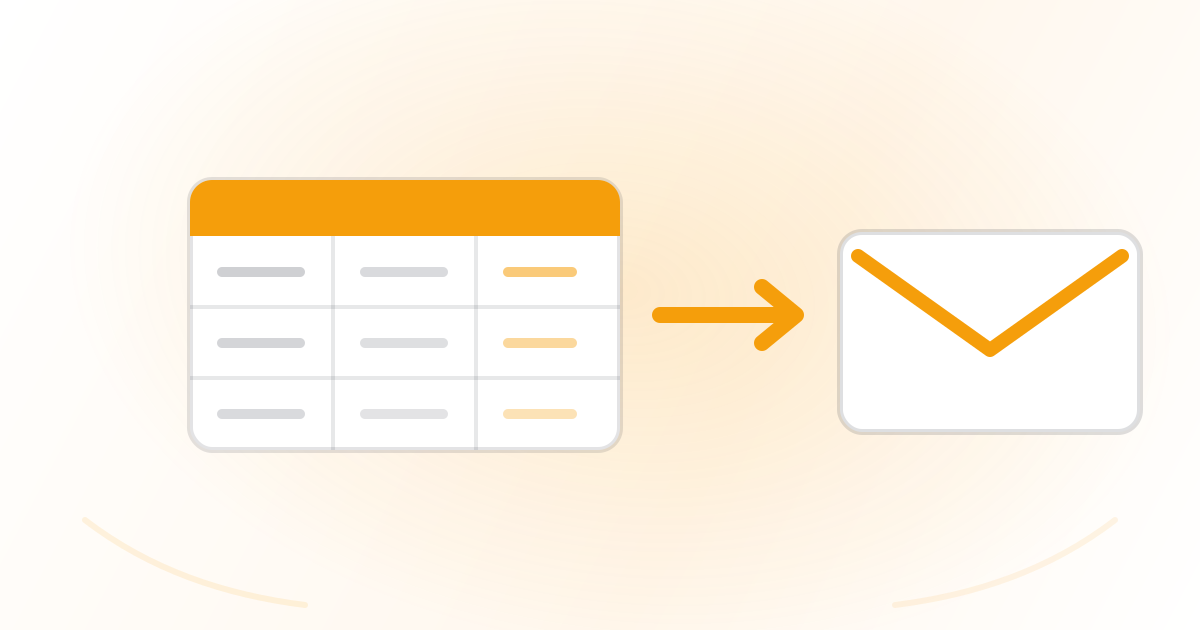
ListMailer is the professional (yet simple) bridge between your contact list and your preferred sending method.

No subscriber fee
Your list can hold 500 contacts or 50,000. The price is the same. We charge for what you send, not for what you store.
Your provider, your reputation
Emails leave through your own Amazon SES, Mailjet or SMTP account, from your own domain. You own the deliverability, and nobody else’s sending habits can damage it.
Built for irregular senders
Four newsletters a year shouldn’t cost twelve monthly payments. One annual price, no subscription to remember to cancel.
Nothing to learn
Upload a CSV, write the email, send. No funnels, no automations, no dashboard to configure.

How it works in 4 steps.

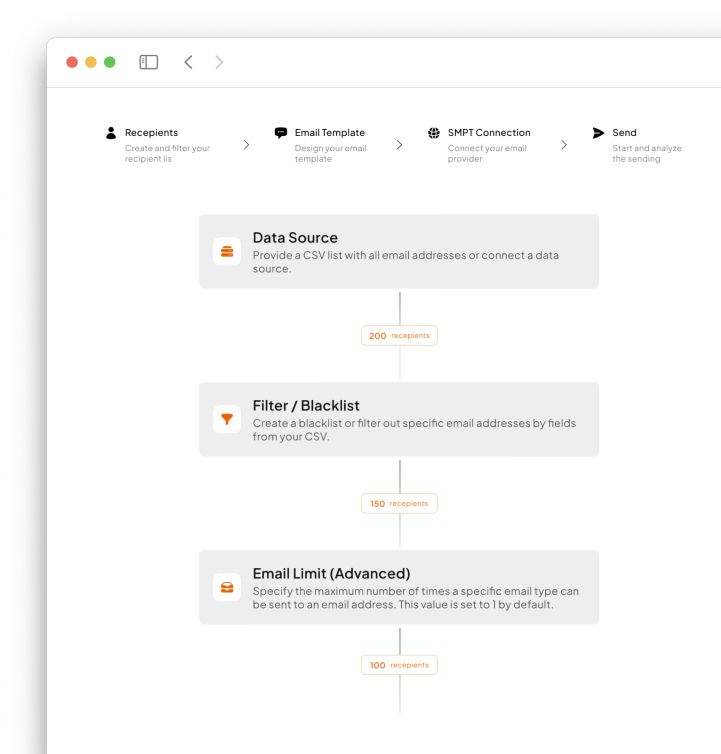
Connect your sending account once, about twenty minutes. After that it's upload, write, send.

Step 1
Connect your sending account
Amazon SES, Mailjet, Gmail, Outlook or any SMTP server. Mailjet takes a few minutes; Amazon SES takes about twenty and is cheaper for larger lists. The dialog tells you which credentials go where. You do this once.
Step 2
Import and clean your list
Upload a CSV, Google Sheet or Airtable export. Anyone who unsubscribed before is skipped automatically, across every campaign you ever send.
Step 3
Write and personalise
A plain editor and any column you imported — {{Company}}, {{Last_Order}}, whatever is in your file. An unsubscribe link is added for you.
Step 4
Check, send, measure
Run a deliverability check first: we send a test and report back on DKIM, SPF, DMARC and your spam score, with what to fix. Then send, and watch opens and clicks — with machine opens filtered out, so the numbers mean something.
H

A note from the founder

"Hi, I'm Henrik. I built ListMailer because I was tired of paying subscription tools for storing contacts I already own. If you're on a paid plan and get stuck, your email lands with me — no bots, no ticket queue."

Henrik — Founder & Developer

One price a year. Unlimited contacts.

You pay for your sending account separately — directly to Amazon or Mailjet, at cost. For most people that's a few dollars a year.

Free

$0

1,000 emails per month

Unlimited contacts

  • Your own SES, Mailjet or SMTP account
  • Deliverability check (DKIM, SPF, DMARC, spam score)
  • Unlimited test sends
  • Open tracking
  • Global unsubscribe list
  • 1 connection, 1 user
  • Reports kept for 90 days
Start free

No credit card. No time limit.

Most popular

Solo

$39per year

20,000 emails per month

Unlimited contacts

Everything in Free, plus:

  • 2 connections
  • 2 users
  • Reports kept forever
  • API access
  • Email support
Get Solo

Pro

$89per year

100,000 emails per month

Unlimited contacts

Everything in Solo, plus:

  • 5 connections
  • 10 users
  • Priority email support
Get Pro

Prices exclude VAT. Monthly allowances reset on the first of each month. We count emails, not contacts: five hundred contacts you mail every week is 2,000 emails a month, which is the free plan. Fifty thousand contacts you mail twice a year is 50,000 emails in two months, and nothing in the other ten.

What ListMailer is not

We don't build your list. There are no signup forms, no double opt-in flows and no automations. ListMailer sends to a list you already have — exported from your membership database, your shop or your CRM. If you need to collect subscribers from scratch, a different tool will serve you better.

More than 100,000 a month?

Tell us what you're sending and we'll work something out.

Contact us

Everyone charges for the size of your list. We don't.

Four newsletters a year to 10,000 contacts, priced by each provider's own pricing page in November 2026.

ListMailerMailchimpBrevoEmailOctopus ConnectSendy
Price — 10,000 contacts, 4 newsletters a year$39$1,320$348$360$69 once
Charges by list sizeNoYesNoYesNo
Unlimited contactsYesNoYesNoYes
Sends through your own SES or SMTPYesNoNoYesYes
Server requiredNoNoNoNoYes
Deliverability check built inYesNoNoNoNo
Branding in your emailsNoOn free planPaid removalOn free planNo
Signup forms & double opt-inNoYesYesYesYes
BillingYearlyMonthlyMonthlyMonthly or yearlyOne-off

US dollar list prices from each provider's own pricing page, 25 November 2026. Mailchimp Essentials is priced per contact, Brevo Starter per email with logo removal added, and EmailOctopus Connect per subscriber, sent through your own Amazon SES. Our figure is the plan price. You also pay your own provider for the delivery: with Amazon SES that is $0.16 per 1,000 emails, so about $6 a year for 10,000 contacts, and new AWS accounts get up to $200 in credits that cover it.

Two things worth pointing out. The one tool here that also sends through your own Amazon SES account still charges $360 a year for a 10,000-contact list. And we're the only one without signup forms — that's a real gap, and we'd rather you know before you pay.

Frequently Asked Questions.

Have questions? We’ve got answers. Explore some of the most frequently asked questions to help you get started with ListMailer.

Get in touch

Blog

Emailing and digitalization -
that's what we love.

Here we write about everything technical and no code approaches around the topic of bulk mailings and marketing.